
WHAT DATA COLLECTION LOOKS LIKE – A QUICK STEP THROUGH THE MODERNIZATION PROCESS
Collecting data, processing it and reporting new data, to do this you need input and output data. The input data was mentioned in the previous post, and now it’s time to create new ones, i.e. lighting design. How does this happen/ How is it that so many groups use the ILS system and everyone knows what to do? You will learn everything in this entry.
You can follow the modernization process below. Overall, it is quite a complex process, it involves many subgroups from different backgrounds who are interested in different data and requires a lot of attention and the fulfillment of many conditions. There are many stages, such as assigning street classes, lighting design – calculations, reporting and installation, that have to be completed, but not this old devil! That’s what the ILS Application is for, to make this process easier.
MODERNIZATION – CHRONOLOGICAL PROCESS
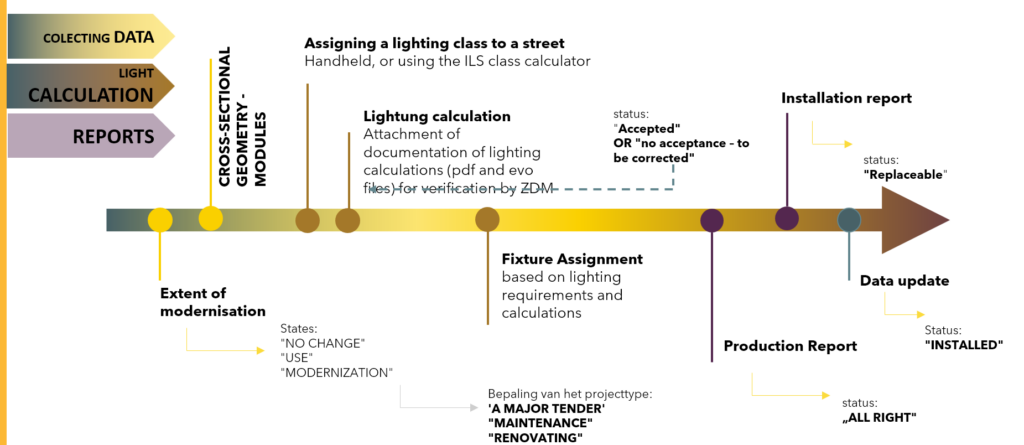
Once all the input data is entered, it’s time for modernization plans and new data. Below we present the basic modernization tools, which will be discussed in more detail in the following sections.
MODERNIZATION TOOLS USED
- Assignment of data regarding lighting fixtures
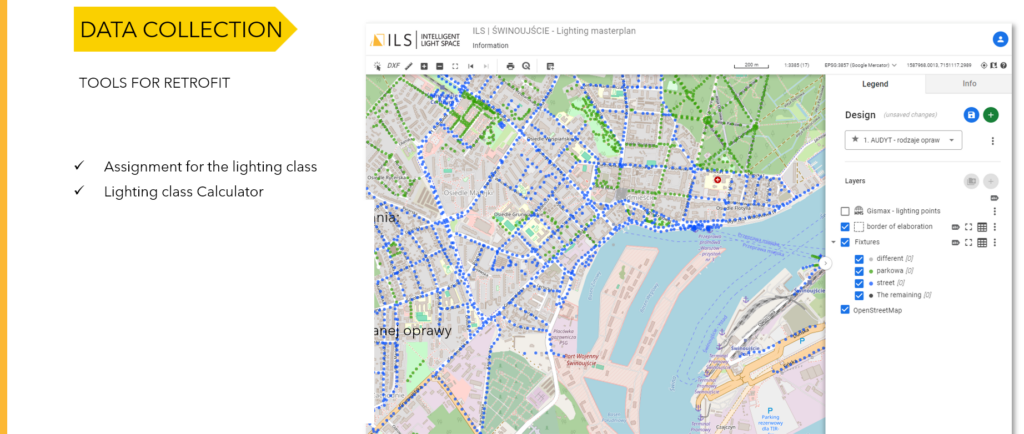
- Assignment of lighting classes
- Lighting class calculator
- Export of lighting cards according to demand:
- Street cards
- Lighting measurements
- Lighting systems
- Lanterns/lighting fixtures
- Assignment of photometric calculations
- Assignment of the type and parameters of the designed fixture
- Generating CSV printouts and reports

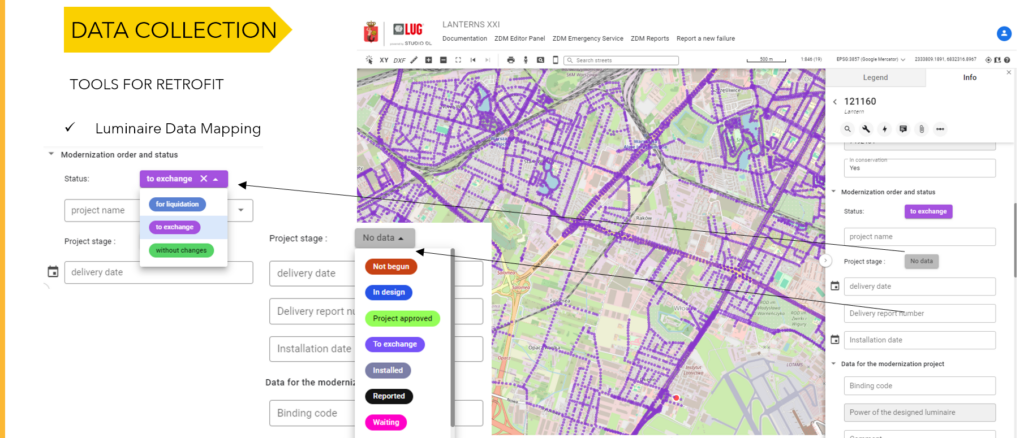
In such a complex process, communication and information management are essential. Hence, it is possible to enter various statuses and update project stages. Based on such data, you can then filter the data and check progress data, detect gaps or report changes.
STAGE OF COLLECTING AND PREPARING DATA FOR LIGHTING DESIGN
Now comes the actual stage of lighting calculations. Based on the acquired data on street profiles and orthophotomap or street view data, the designer is able to assign a street model and enter the data into the program to calculate and select the most appropriate flux and photometric shape of the lighting fixture.
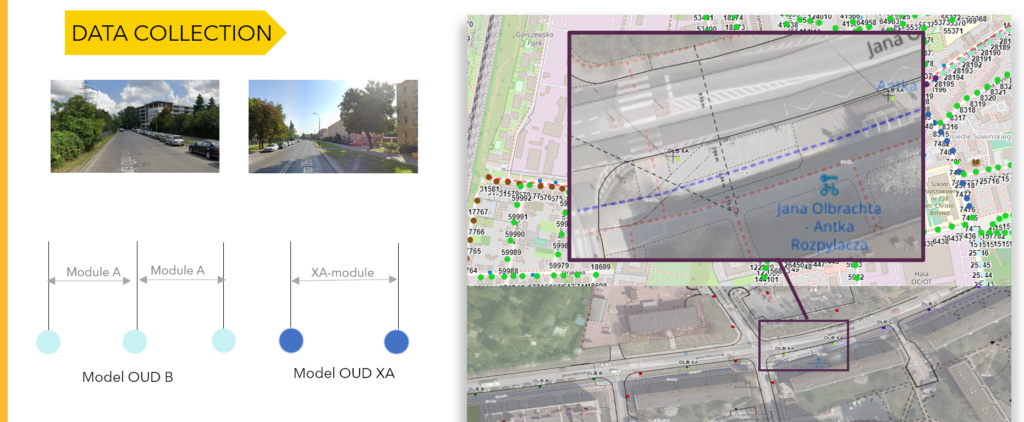
Also now, the designer or road managers can select appropriate road classes. Based on the choices in the question paper, the class is calculated, which can then be manually increased or decreased if the manager decides so.
LIGHTING CALCULATION STAGE
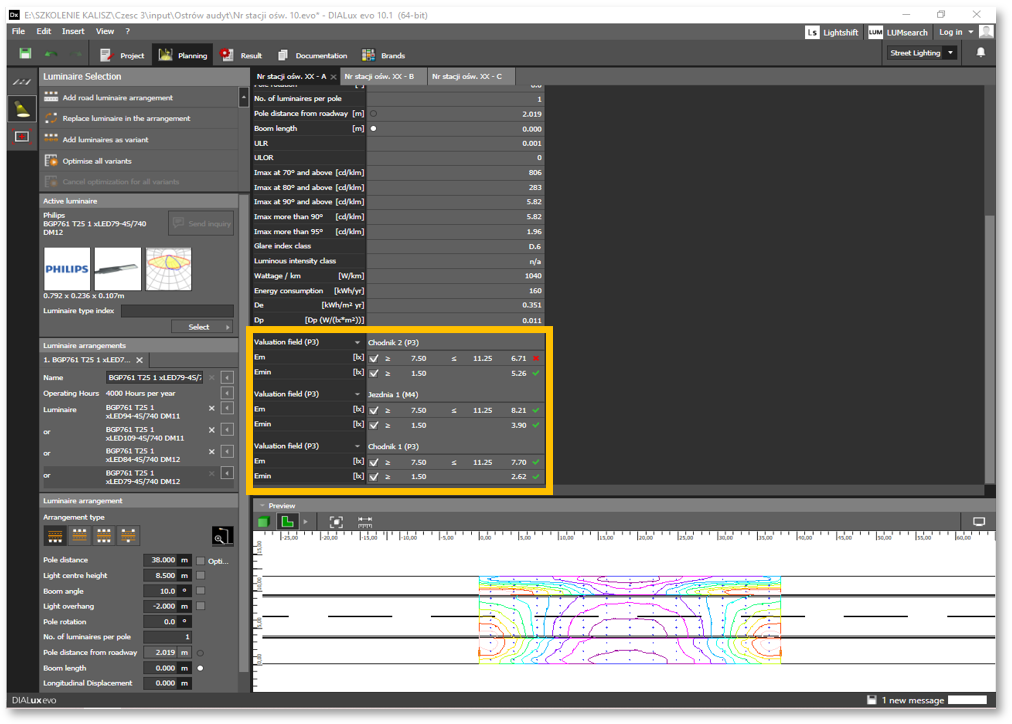
- Description of System components:
- Measurement of typical spacing between fixtures
- Measurement of the road cross-section
- Reading the lighting class
- Creating the road geometry in DIALux
- Inserting a lighting fixture
- Finding a solution – selecting a lighting fixture
- Assignment of the type and parameters of the designed fixture
- Assignment of photometric calculations
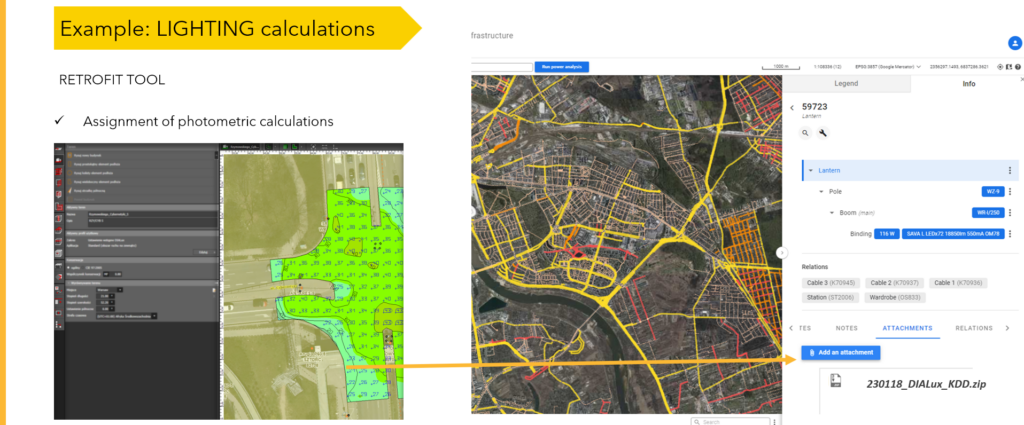
After entering all the data into the calculation program, the stage of selecting the best fixture begins. When the results are returned, the best variant can be selected and the data of the new fixture is entered into the system. This is also the time to update the status of the fixtures and prepare the scope for reporting.
LIGHTING REPORTS
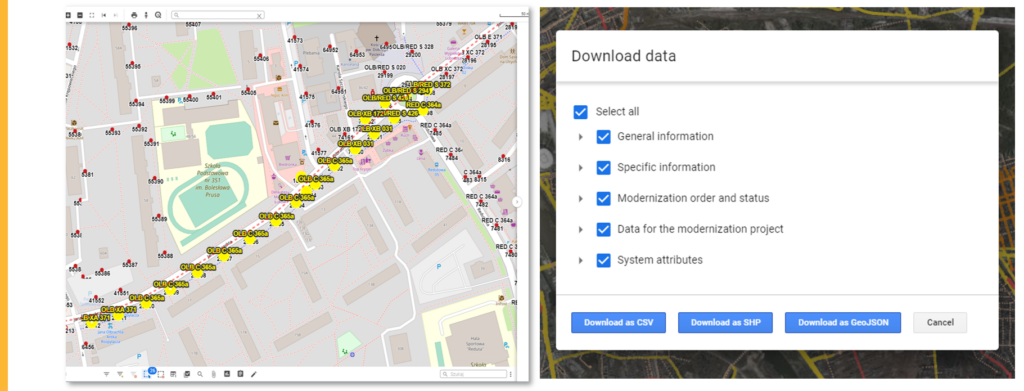
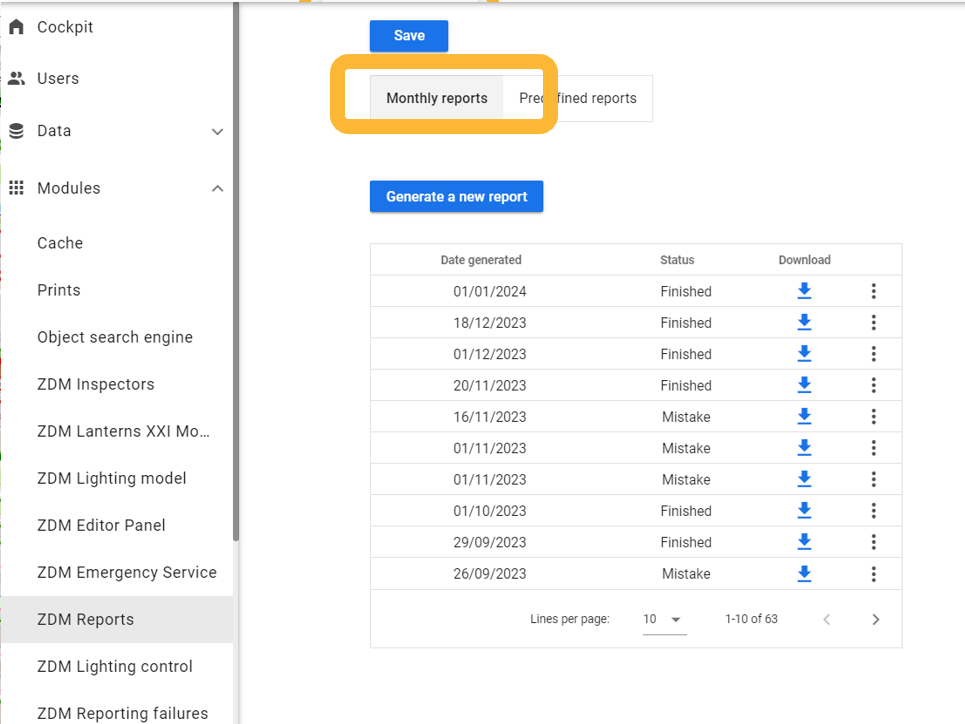
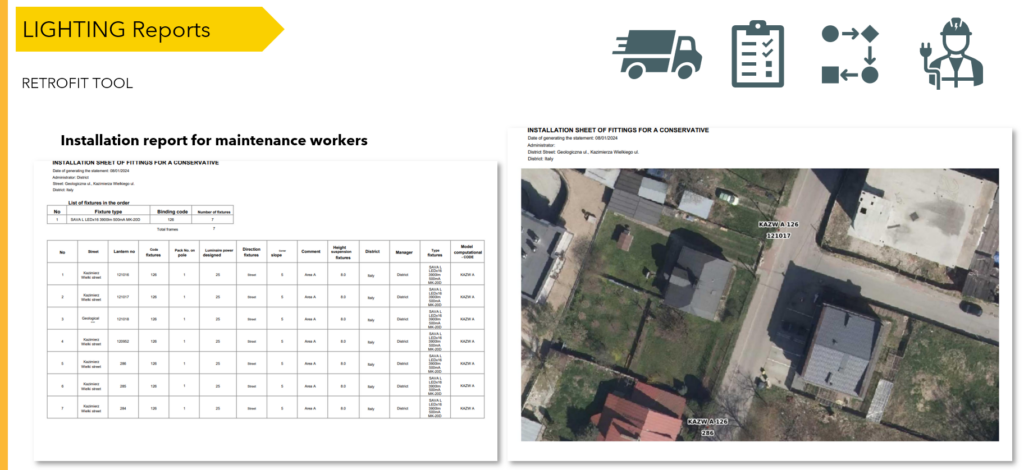
The report is not the same. Each entity needs different data, so everyone can get what they need using one set of data. After selecting the luminaires/data that are to be modernized (i.e. ordered, manufactured and installed), you can either export them to CSV data or generate a PDF report. CSV data can be extracted into template spreadsheets, e.g. in Excel, to create a production and assembly report. However, the PDF report is supported by a map preview, which makes it extremely useful during assembly. There is also an option to generate a predefined report, the data for such a report is filtered from the code and not by the user, it can contain more collective data, e.g. a summary of luminaires installed in a given month, broken down by streets, districts, and types of luminaires.
It’s not over yet… Every strategist knows to always look to the future. Development is our middle name, so in the next entry we will discover future-proof tools, i.e. tools helpful in strategy and planning.
If you want to learn more about replacing lighting with ILS, click here.
And if you want to see the ILS system offer, click here. Complete the test to find out what you need.
Are you a practitioner? You won’t see it, you won’t believe it? Sure thing! You can arrange a presentation or read more about our implementations, e.g. in Świnoujście.